
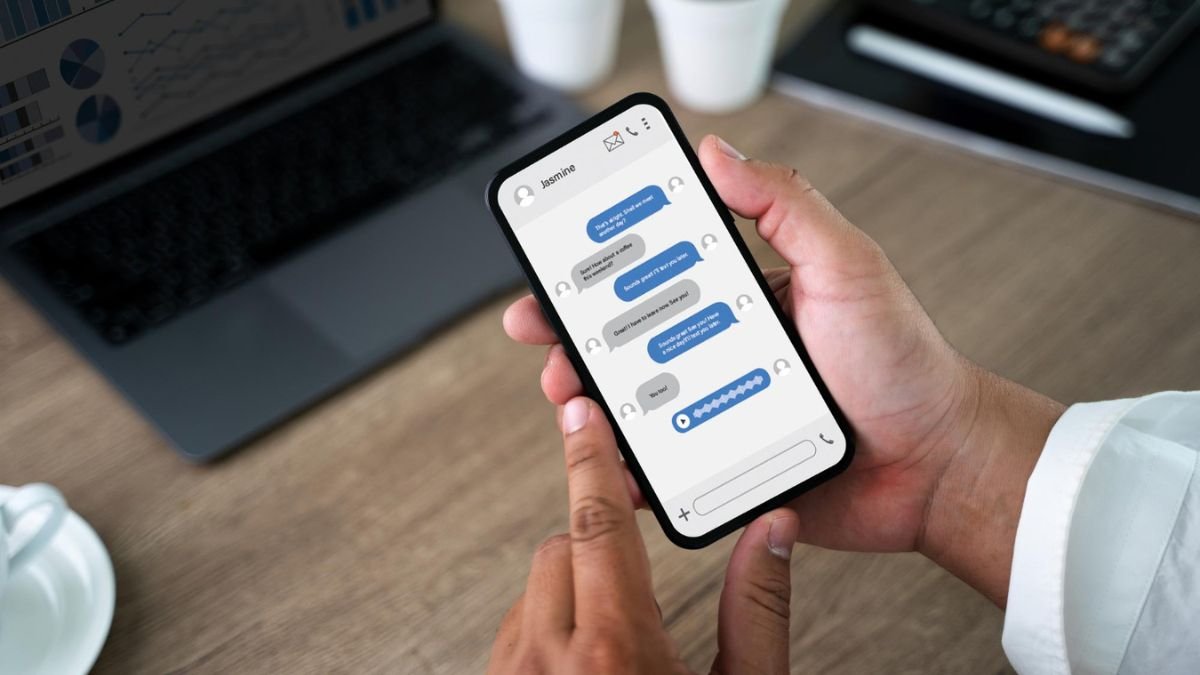
For decades, SMS has been the conventional method of transmitting text messages among cell phones. Dependable, but with tremendous drawbacks like limits on characters, receipt notifications, poor media quality, and low interactivity, SMS can be detrimental. Texting started to seem obsolete as soon as messaging applications such as WhatsApp, Telegram, and Facebook Messenger became more sophisticated.
This is where RCS Chat comes in. Rich Communication Services (RCS) is an initiative that is aimed at modernizing text messaging by adding features of apps directly to your default messaging app on your phone. It also provides high-quality media sharing, typing/ sending indications, read receipts, group messaging, and an improved business messaging experience without users downloading an individual messaging program.
With its ongoing support through some of the top smartphone makers, mobile carriers, and technology organizations, RCS is increasingly considered as the next development of mobile messaging.
What is the meaning of RCS?
RCS is an abbreviation for Rich Communication Services. It is a communication protocol that was created by the GSM Association (GSMA), which is an organization that controls most of the communication standards used in various parts of the world.
The aim of RCS is to substitute traditional SMS and MMS messaging with a more interactive and rich experience. RCS does not depend on old-fashioned technology; instead, it utilizes an internet connection to provide features that are equivalent to modern messaging applications.
RCS does not intend to use third-party messaging applications, unlike third-party messaging platforms, which seek to operate within a native messaging application on a phone. This enables users to access better communication features without installing additional software.
What was the Reason RCS Chat was Built?
The history of traditional SMS dates back to the early 1990s, when mobile phones were used mostly to make calls and to exchange basic texts. Though SMS gained popular use, it was not developed to meet the current demands of communication.
Contemporary users demand such features:
- High-resolution image sharing
- Read receipts
- Typing indicators
- Group conversations
- Video sharing
- Interactive business messages
Messaging applications managed to provide all these features, but they required users to install specific apps and create accounts.
RCS has been developed to address this gap and introduces advanced messaging features into a regular texting application. This was aimed at developing an interoperable messaging standard that would be usable across devices, carriers, and areas.
RCS Chat: How It Works?
As opposed to SMS, which is based entirely on cellular networks, RCS can utilize both mobile data and Wi-Fi links to send messages. Such an internet-based solution has much greater functionality than a classic text messaging solution.
Messages sent between two people with RCS turned on are sent via RCS servers as opposed to normal SMS infrastructure. This allows for the sharing of media, reactions, delivery confirmation, typing indicators, and more.
When the receiver is not compatible with RCS, the message will automatically revert to SMS or MMS. This will make it compatible even in case of unavailability of advanced messaging facilities.
On the side of the user, the transition is smooth. Messages are dispatched using the same messaging application and in the background, the system decides on the most appropriate method to deliver the message.
RCS Chat features
The large number of features is one of the main reasons why RCS was adopted.
Read Receipts and Delivery Confirmations
RCS enables one to determine when a message has been received and read. This removes ambiguity and offers more transparency when talking.
Delivery tracking is also advantageous by enabling businesses to know that customers have been given crucial updates, notifications or even promotional messages.
Typing Indicators
Values and cues indicate when the other party is in the process of responding. Despite its simplicity, this feature provides a more realistic and interactive messaging experience. It makes dialogues more real-time, and fewer people will be confused by their sluggish reactions.
High-Quality Media Sharing
Images and videos are highly compressed by traditional MMS and thus of inferior quality.
RCS helps in sharing larger file sizes and media with high resolution. Pictures are more visible, videos can hold a lot longer, and file transfers become more feasible in daily communication.
This enhancement is particularly convenient when it comes to exchanging travel photos, business pages, event photos, or product information.
Enhanced Group Chats
RCS makes group messaging much more effective.
Users are also able to form larger groups and control participants with greater ease, get read receipts in conversations, and share rich media without most of the restrictions that come with SMS-based group chats.
To families, workplaces and community groups, they enhance a more cooperative communication atmosphere.
Business Messaging Features
Business communication is one area that has been excelling because of RCS.
Branded messages, which will include a logo, a button, an image, an appointment reminder, a product catalog, and an interactive action, can be sent to customers. Customers do not receive a plain text message; instead, they can engage in the messaging interface.
An illustration is that an airline can send a boarding pass, a flight update, and check-in requests in one dialogue.
RCS Chat and WhatsApp
The similarities between RCS and WhatsApp do not always seem to be apparent, as the two applications enable advanced messaging options.
Nevertheless, there are significant differences.
WhatsApp involves a user downloading an application and creating an account associated with a phone number. RCS is based on the default messaging application, which has already been installed on the devices.
WhatsApp is also characterized by greater platform consistency, due to which all users are used to the same platform. RCS, however, relies on device support, carrier support, and compatibility with messaging apps.
The other difference is that WhatsApp chats exist under the Meta platform, unlike RCS, which is meant to be used as a common messaging platform among the mobile networks.
RCS Chat and iMessage
Apple’s iMessage has long supported the features of RCS, such as read receipts, typing indicators, reactions, and sharing media.
Communication between Android and iPhone users has proven to be a less smooth process over the years, since messages would revert to SMS.
The most recent actions in the industry have hastened the advancement of support for RCS interoperability to provide improved communication experiences among operating systems. It is anticipated that this change will lessen most of the messaging restrictions that used to exist between Android and iPhone users.
With increasing RCS adoption, users will receive a more uniform messaging experience across devices, no matter the brand.
Is RCS Chat Secure?
One aspect that a messaging technology needs to consider is security.
In current implementations of RCS, end-to-end encryption of single conversations is becoming more widely supported via compatible messaging platforms. End-to-end encryption makes the message content readable in a way that the sender and recipient are the only people who can read it.
The availability of encryption can, however, differ according to the messaging application, carrier infrastructure, and device compatibility.
Users with privacy concerns need to confirm that the particular messaging service they use has encrypted RCS communication.
Besides encryption, RCS platforms usually feature spam detection and verification mechanisms that will minimize the activity of fraudulent messaging.
How to connect to RCS Chat?
It is generally easy to enable RCS.
On the majority of Android devices:
- Open the Messages app.
- Navigate to Settings.
- Select Chat Features.
- Enable RCS or Chat Features.
- Check if prompted to verify your phone number.
Installation is generally a mere few minutes. When triggered, any compatible conversations will then utilize RCS wherever it can.
RCS functionality is also enabled, and users can see labels like “Chat Message” rather than Text Message.
Issues with RCS Chat
Despite the substantial growth in use of RCS, there are still users who do face challenges.
The delay in activation is one such problem. Checking in may sometimes be time-consuming, especially when changing equipment or operators.
The other hurdle arises when neither party is a proponent of RCS. In such situations, the dialogue goes back to SMS, making useful features fade out in the meantime.
Connectivity issues may also affect message delivery, since RCS relies on internet access. Poor Wi-Fi or mobile data coverage may impact performance.
Luckily, RCS and SMS also automatically alternate as needed when using most modern messaging apps.
Conclusion
RCS Chat is a significant improvement over traditional SMS and MMS messaging. RCS brings the richness and increased engagement of communication by adding services like read receipts, typing indicators, sharing high-quality media, sophisticated group chats, and interactive business messaging.
Although its adoption remains in its early days, it is supported by an ever-growing number of carriers, devices, and messaging platforms. For users who want more modern texting than third-party messaging apps alone can provide, RCS is rapidly becoming the future of mobile communications.
Also Read: Best AI Writing Tools
About the Author
